
For studio admins
Filter the queue, review offers, track trial follow-ups and use demand signals when planning future classes.
A full class should not be the end of the conversation. Keep interested students in a structured queue, manage seat offers and follow a trial from first booking to the next decision.
Waiting, offered and accepted entries stay attached to the class and session, instead of disappearing into a group chat.
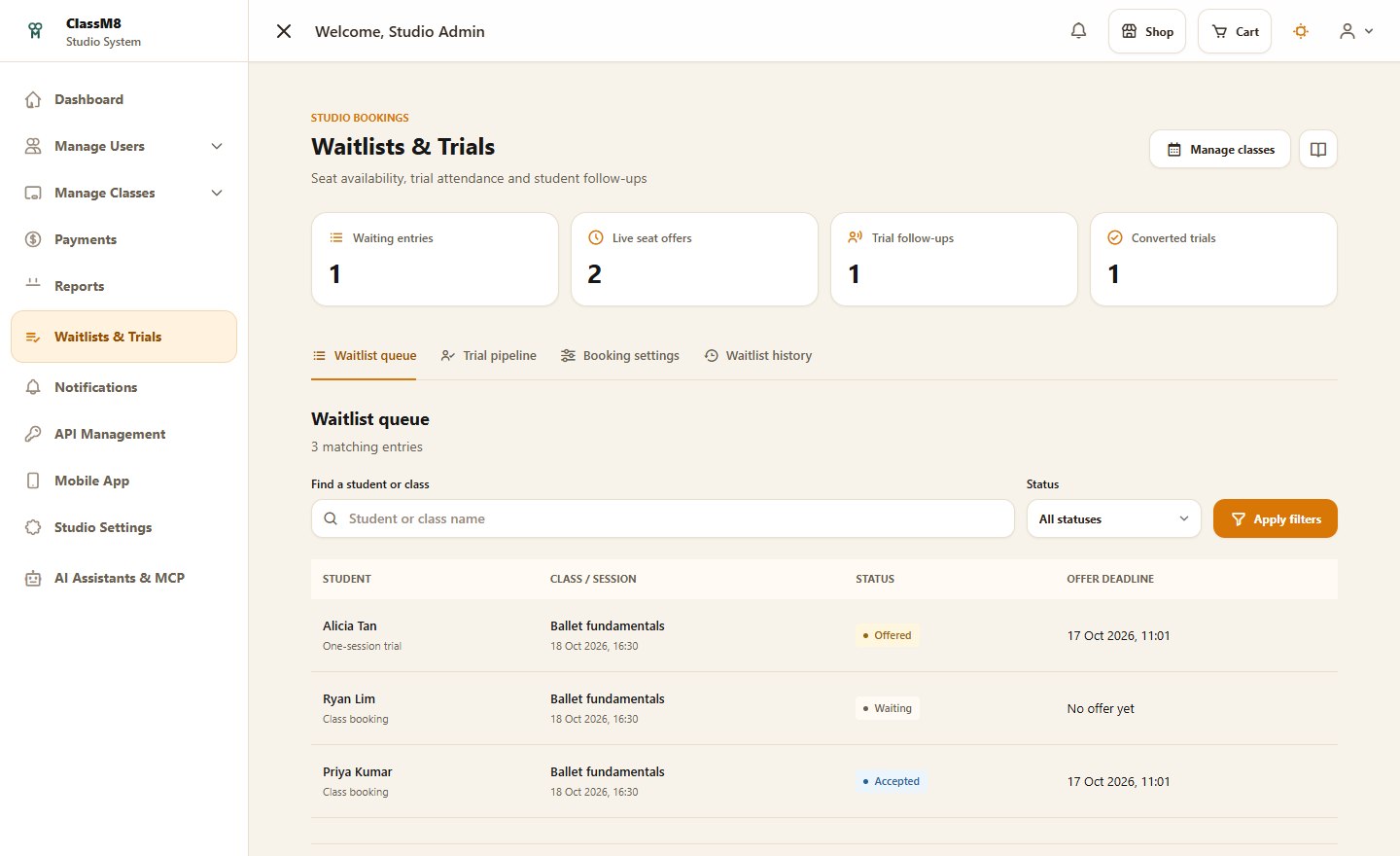
Enable a waitlist for eligible sessions or gather demand before opening bookings. Set queue capacity for each class.
Capacity-aware processing gives eligible waiting students a time-limited offer when a seat is available.
Students accept an offer and complete the required checkout. Expired offers can move on through the queue; an offer alone is not a booking.
Keep trial bookings, attendance, follow-up notes and recorded conversions together. Your team can see which students are waiting for a conversation and which have taken the next step.
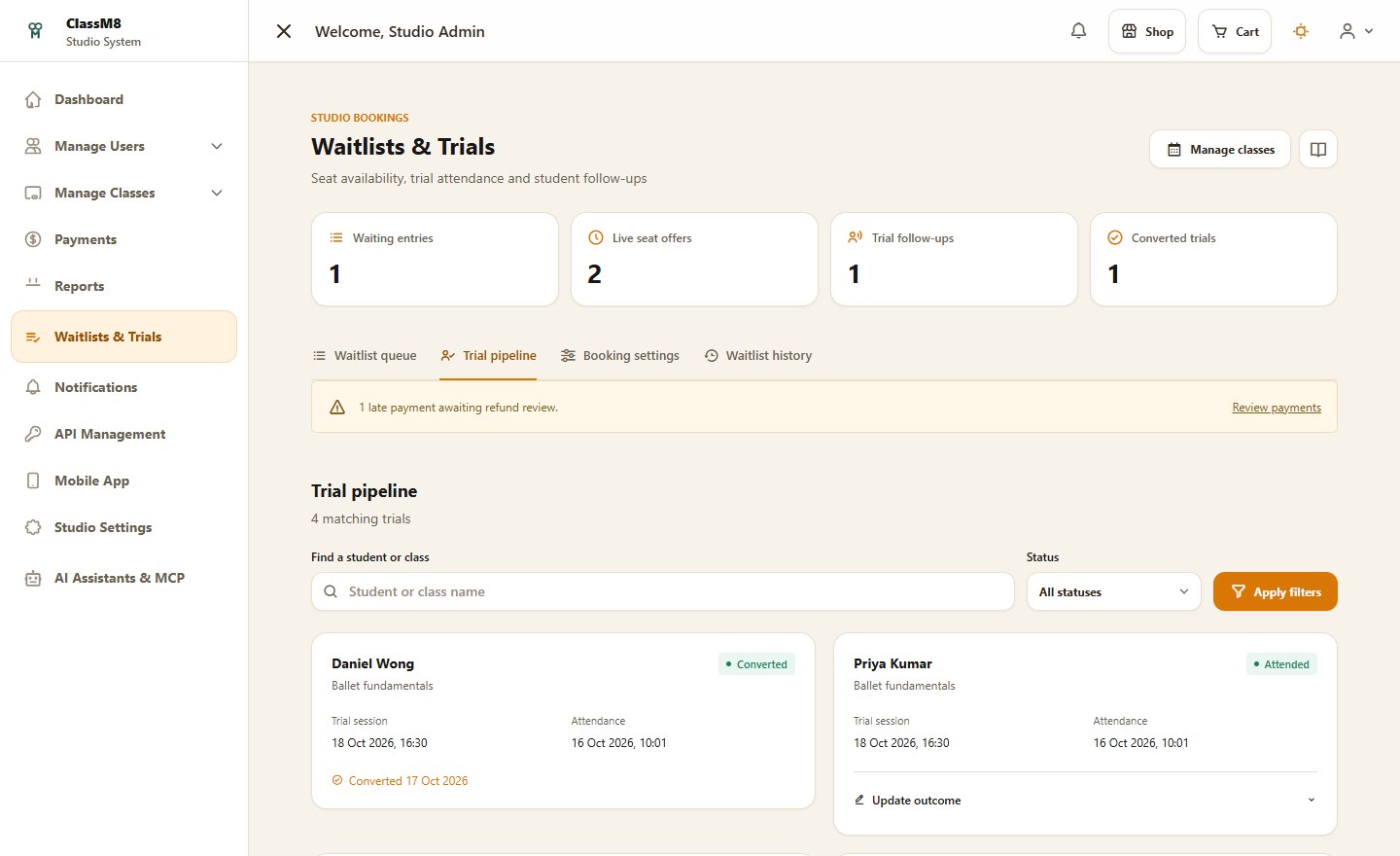
Filter the queue, review offers, track trial follow-ups and use demand signals when planning future classes.
Join an eligible waitlist and manage seat offers from the student portal, including on a mobile browser.
Connect capacity, checkout and attendance rather than treating a waitlist as another disconnected spreadsheet.
Availability depends on each class's settings, capacity and trial eligibility. Automated processing requires the studio's scheduled jobs and notifications to be configured.
See AI connections, waitlists and trial follow-ups alongside your everyday studio workflow.