Connected to studio records
ClassM8 exposes supported schedules, availability, bookings and role-appropriate purchase information. It is not simply a general-purpose chatbot on a booking page.
Use compatible AI assistants such as ChatGPT and Claude to check schedules, explore class availability and find the studio information your account is allowed to see. Less switching between screens. More time for your students.
Controlled rollout. Studio activation and a compatible assistant account are required. Assistant features, plans and connection support vary.
An MCP studio management system connects studio software to compatible AI assistants through the Model Context Protocol (MCP). Instead of copying records into a chat, you authorize an assistant to request supported information from your studio account.
ClassM8 exposes supported schedules, availability, bookings and role-appropriate purchase information. It is not simply a general-purpose chatbot on a booking page.
Admins, teachers and students keep different access. Connecting an assistant does not turn a student into an admin or expose another studio's records.
Studio activation, account consent and revocation control access. Supported changes require a separate human confirmation when enabled.
Built in Malaysia for studios and academies serving different markets. Assistant compatibility and availability must be confirmed for your intended provider and account.
Explore connected class waitlists and trial workflows →Sign in through ClassM8, review the connection, and revoke access from your account when you need to.
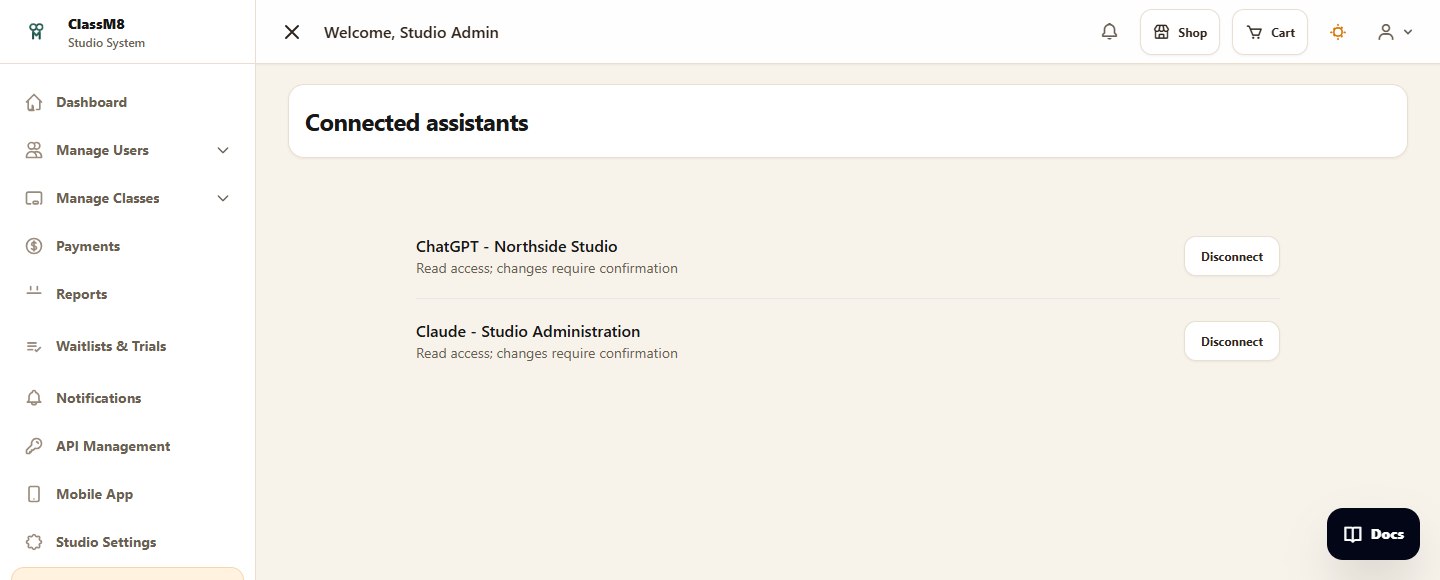
The connected account determines what an assistant can see and request. These are example requests, not a live chat.
Admins can read their connected studio's purchases, schedules and rosters. Requests to allocate a booking, cancel an individual booking or mark attendance require human confirmation when actions are enabled.
Teachers see assigned classes and their rosters, not another teacher's students or the studio's purchase report. Attendance changes require confirmation when enabled.
Students see their own records. Booking requests add a class to the normal cart after confirmation; checkout is still required. Individual and recurring subscription cancellation requests also require confirmation. Cancellation does not automatically issue a refund.
Your studio enables AI connections. You sign in and approve access using your own account.
Read schedules, bookings and role-appropriate summaries without granting access to another studio.
Where enabled, supported changes open a time-limited ClassM8 confirmation. The assistant cannot approve its own request.
Supported booking, cancellation and attendance requests require studio action settings and explicit human confirmation. Permissions differ by role. A student booking request adds the class to the cart; normal checkout is still required. The assistant does not collect card details or issue automatic refunds.
No. You need an assistant that supports compatible external connections, and availability can depend on its plan, settings and policies. Ask us to verify your intended assistant and account during a demo. ClassM8 access does not include a ChatGPT, Claude or other assistant subscription.
Authorized requests can send relevant studio data to the assistant provider. Review your studio's privacy requirements, guardian permissions where relevant, and the provider's terms and age rules before connecting. ClassM8 permissions do not override a provider's restrictions.
No endorsement or partnership is implied. ChatGPT and Claude are names of third-party products and belong to their respective owners.
See AI connections, waitlists and trial follow-ups alongside your everyday studio workflow.