AI assistant connections, waitlists, trial follow-ups and the everyday essentials: bookings, recurring classes, payments, attendance and reports. Built in Malaysia for class-based businesses in different markets.
Explore role-aware access through compatible assistants such as ChatGPT and Claude. Read studio information and review supported changes before they happen.
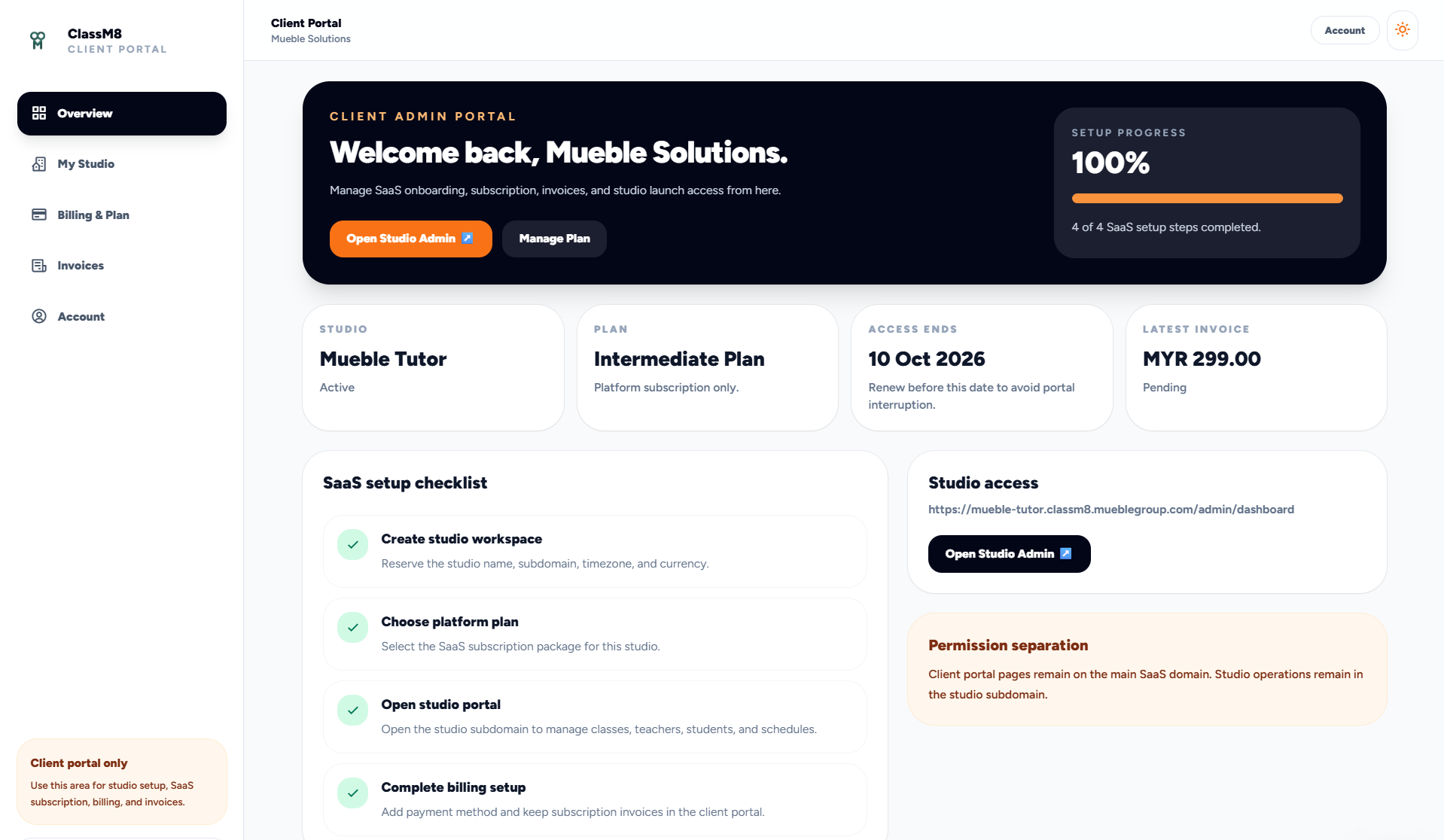
SaaS onboarding and seat management built into the product.
The client portal gives the business owner a clean place to complete onboarding, review subscription status, see invoices and open the separate studio admin portal.
Onboarding checklist for workspace, plan, studio access and billing setup
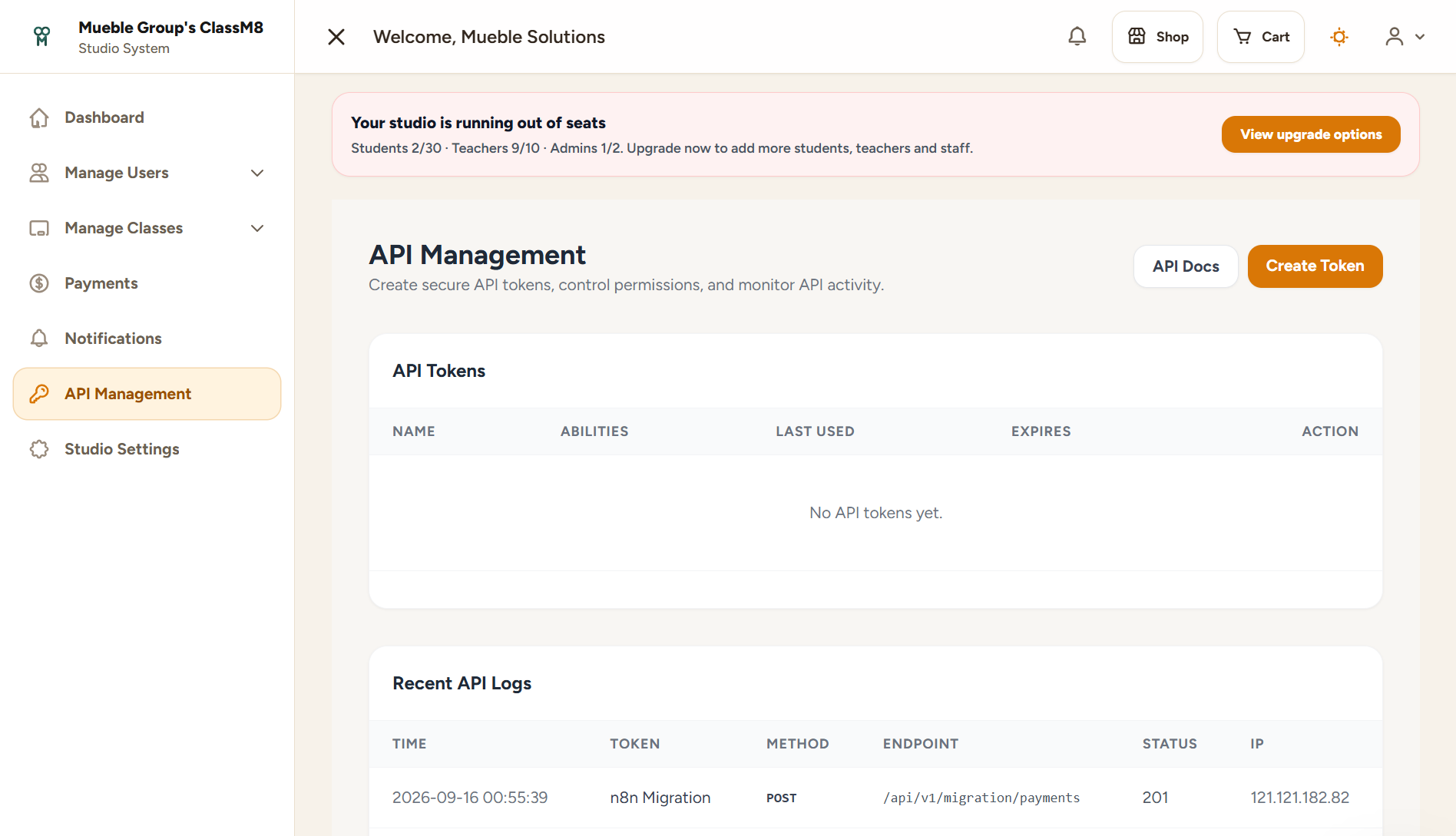
Seat warnings for students, teachers and admin users
Clear upgrade CTA when a studio approaches limits
Separate client portal and studio portal responsibilities
Sell the right way
Individual classes, recurring classes, subscriptions and ClassCards each have a job.
A trial class is not a monthly programme. A prepaid credit bundle is not the same as a subscription. ClassM8 keeps each model clear while still connecting them to one checkout and one student record.
1x
Individual classes
Best for drop-ins, workshops, trials and single-session events.
Specific session purchase
Date, time, teacher and room visibility
Immediate access after payment
R
Recurring classes & subscriptions
Best for ongoing memberships and programmes where attendance repeats.
Renewal-aware billing state
Future sessions visible
Access tied to subscription status
C
ClassCard
Best for flexible prepaid usage where students draw down credits over time.
Credits visible to staff and student
Usage tied to attendance
Traceable purchase history
API management helps studios control integrations, migrations and automation access without sharing admin passwords.
Admin power tools
API management, analytics and settings are not afterthoughts.
ClassM8 gives operators the controls they need once the studio becomes more than a small booking list.
Create scoped API tokens and review recent API logs
Track revenue, pending orders, student counts and teacher counts
Configure currency, timezone, checkout and payment gateway settings
Keep setup and operational access role-aware
Q
QR check-in
Teachers or admins open a session QR; logged-in students scan it and attendance is validated against the correct class or plan.
W
Waitlists & trial pipeline
Manage waiting students, time-limited seat offers, trial attendance and follow-up records alongside your classes.
$
Stripe and HitPay
Use supported gateway configurations for checkout, recurring payments, receipts and payment history.
A dashboard that fits your day
Review performance and reporting, then choose a list or grid layout for your studio dashboard.
Mobile app connection QR
Admins, teachers and students can view their studio's connection QR. Scanning selects the studio; each user still signs in.
A clearer first login
Role-specific getting-started guidance helps users find the important parts of their workspace.
Built in Malaysia. For studios everywhere.
Your studio's next chapter.
See AI connections, waitlists and trial follow-ups alongside your everyday studio workflow.