
Seat limits get messy
Know when students, teachers or admins are near plan limits and guide owners toward the right upgrade before operations stall.
Your classes, waitlists, trials and payments, connected. Now bring your studio into compatible AI assistants such as ChatGPT and Claude, with your team's permissions and control.
AI connections · Waitlists & trials · Bookings · Payments
Ask about schedules, available classes or your purchases from a compatible assistant. Access follows your account, not a shared admin login.
For studio admins.
For teachers.
For students.
A studio admin can review studio purchases. A teacher can check assigned sessions. A student can find their own bookings. Supported changes require a separate confirmation in ClassM8 when enabled.
Discover AI connections →Controlled rollout. Compatible assistant accounts and studio activation required; support varies by provider and plan.
Revenue, students, teachers and pending orders in one view. Make your next decision with the numbers in front of you.
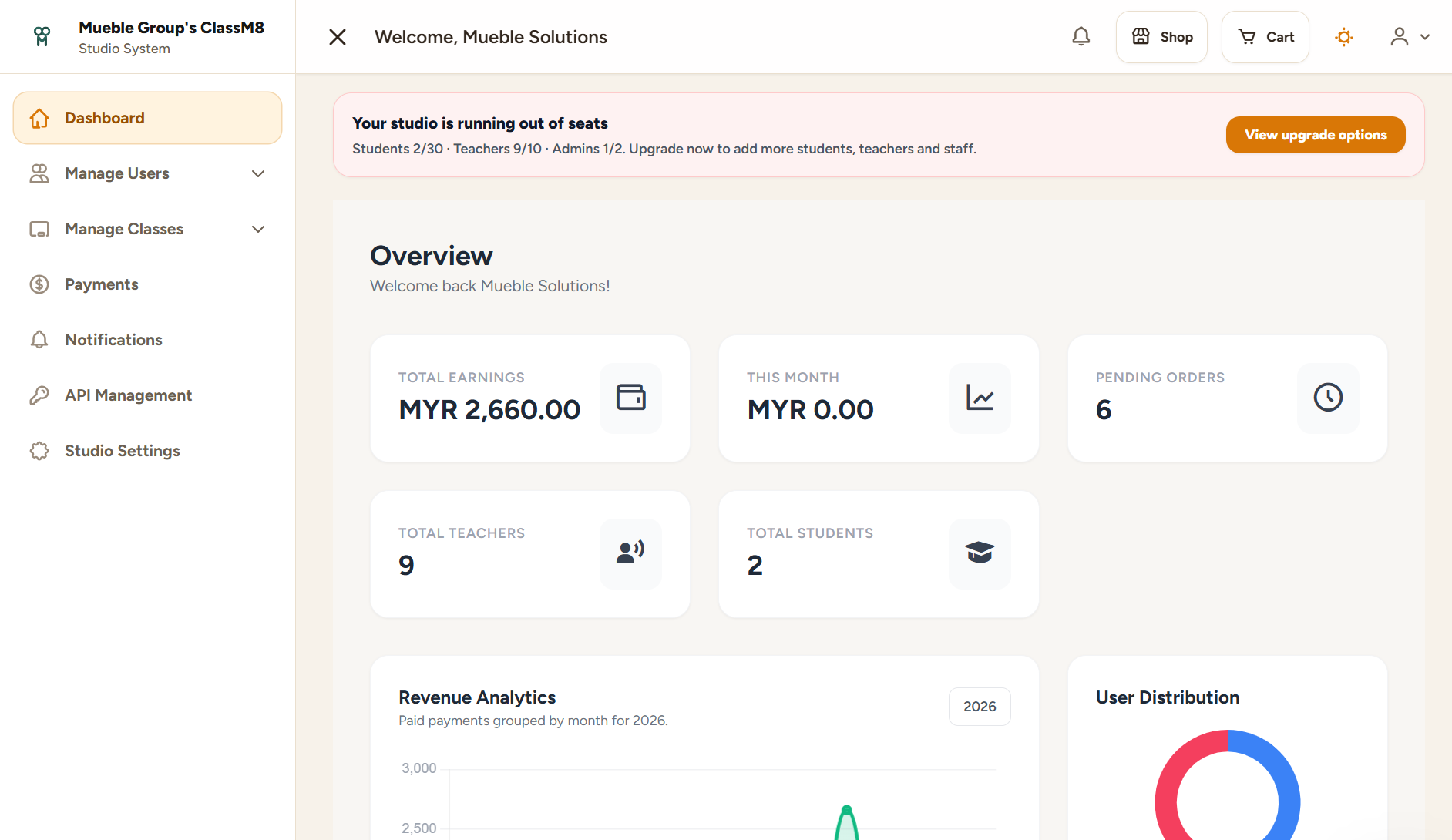
An actual ClassM8 workspace. Example records are shown for illustration.
When bookings live in chat, payments live in bank screenshots and attendance lives on paper, owners cannot see what is selling, who is active, what is overdue or where capacity is about to break.
Know when students, teachers or admins are near plan limits and guide owners toward the right upgrade before operations stall.
Online payments should unlock the right class, plan, subscription or ClassCard automatically instead of becoming isolated transactions.
Session QR check-in keeps attendance tied to the actual class while reducing front-desk interruptions.
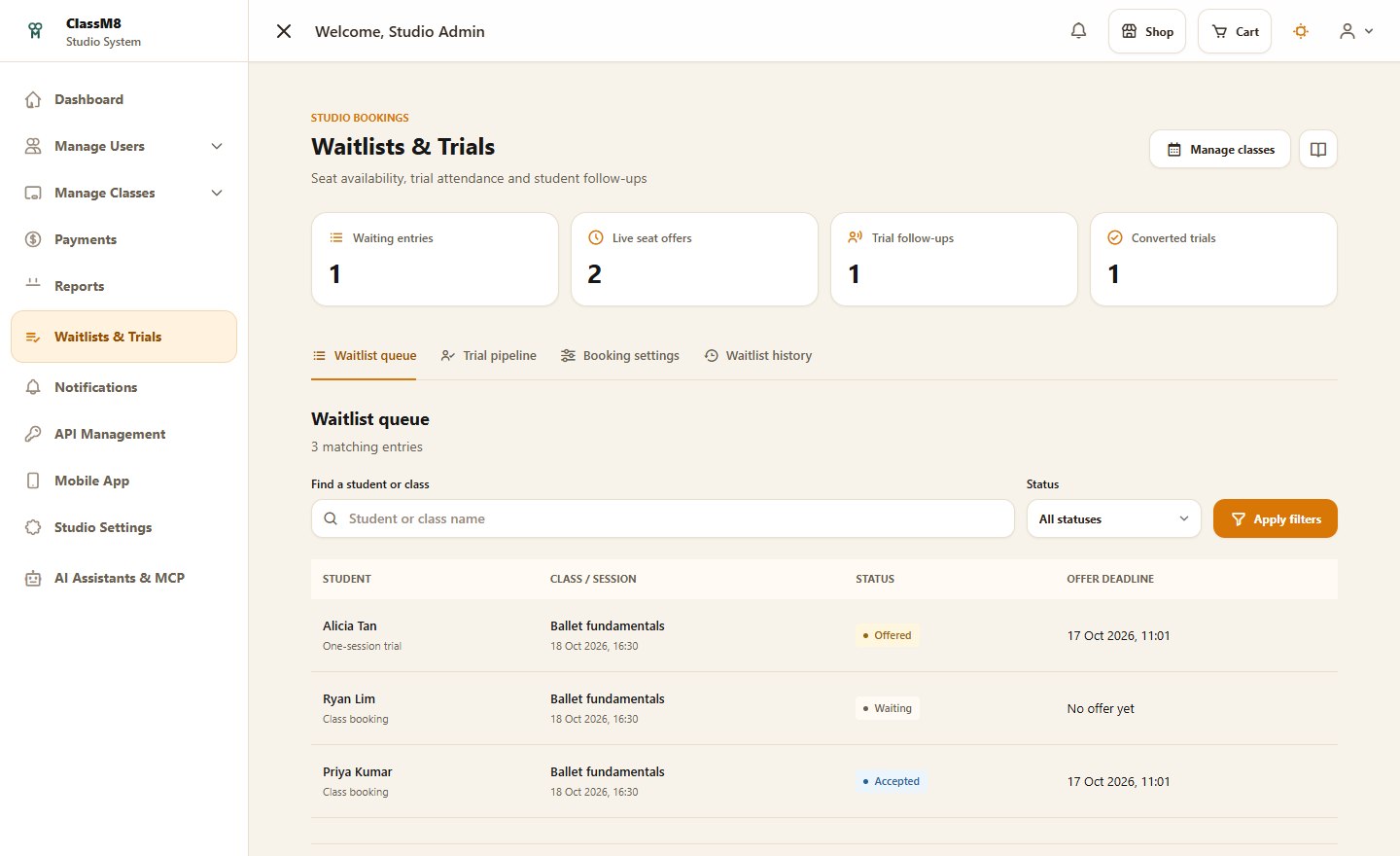
Capture demand with waitlists, manage time-limited seat offers and keep trial follow-ups visible to your team.
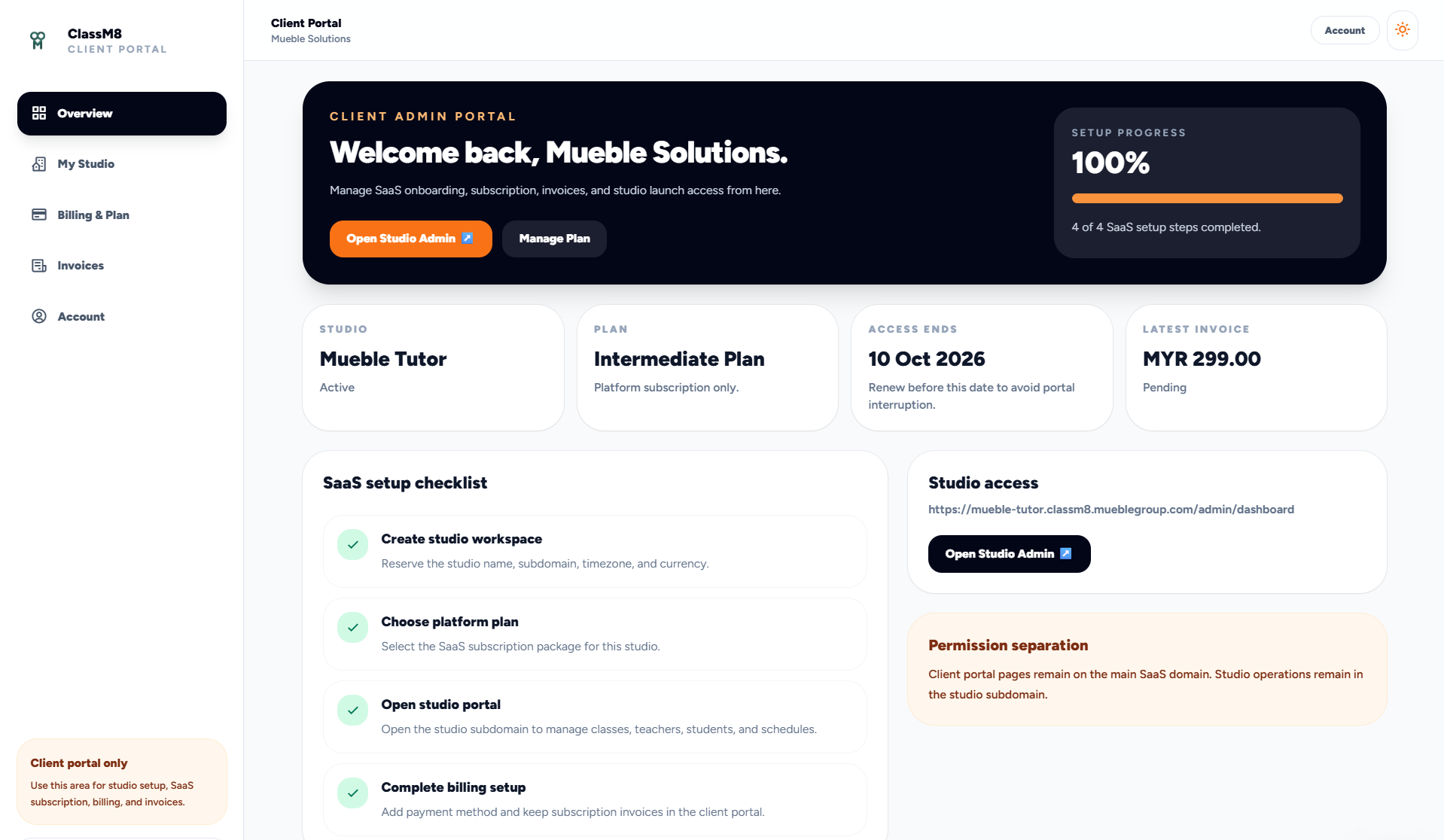
ClassM8 separates SaaS ownership tasks from studio operations. The client portal manages onboarding, plan selection, invoices, billing and studio launch access. The studio portal manages classes, users, settings, payments, API keys, analytics and delivery.
Bring role-appropriate studio information into compatible assistants. Keep account consent, studio boundaries and confirmation for changes.
Explore AI connections →Keep interested students in a queue and manage time-limited offers as capacity becomes available.
Track trial attendance, follow-up notes and recorded conversions without a second spreadsheet.
Publish classes, recurring sessions and programme schedules with teacher, room, capacity and upcoming-session visibility.
Sell prepaid class credits, show balances and keep usage traceable through attendance and purchase records.
Let logged-in students scan session-specific QR codes so attendance is validated against the right class or plan.
Review studio revenue, attendance and booking trends. Choose a dashboard layout that fits how your team works.
Create scoped API tokens, monitor recent API logs and support structured integrations or migrations.
Connect Stripe or HitPay and keep checkout, receipts, payment history and subscription state attached to access.
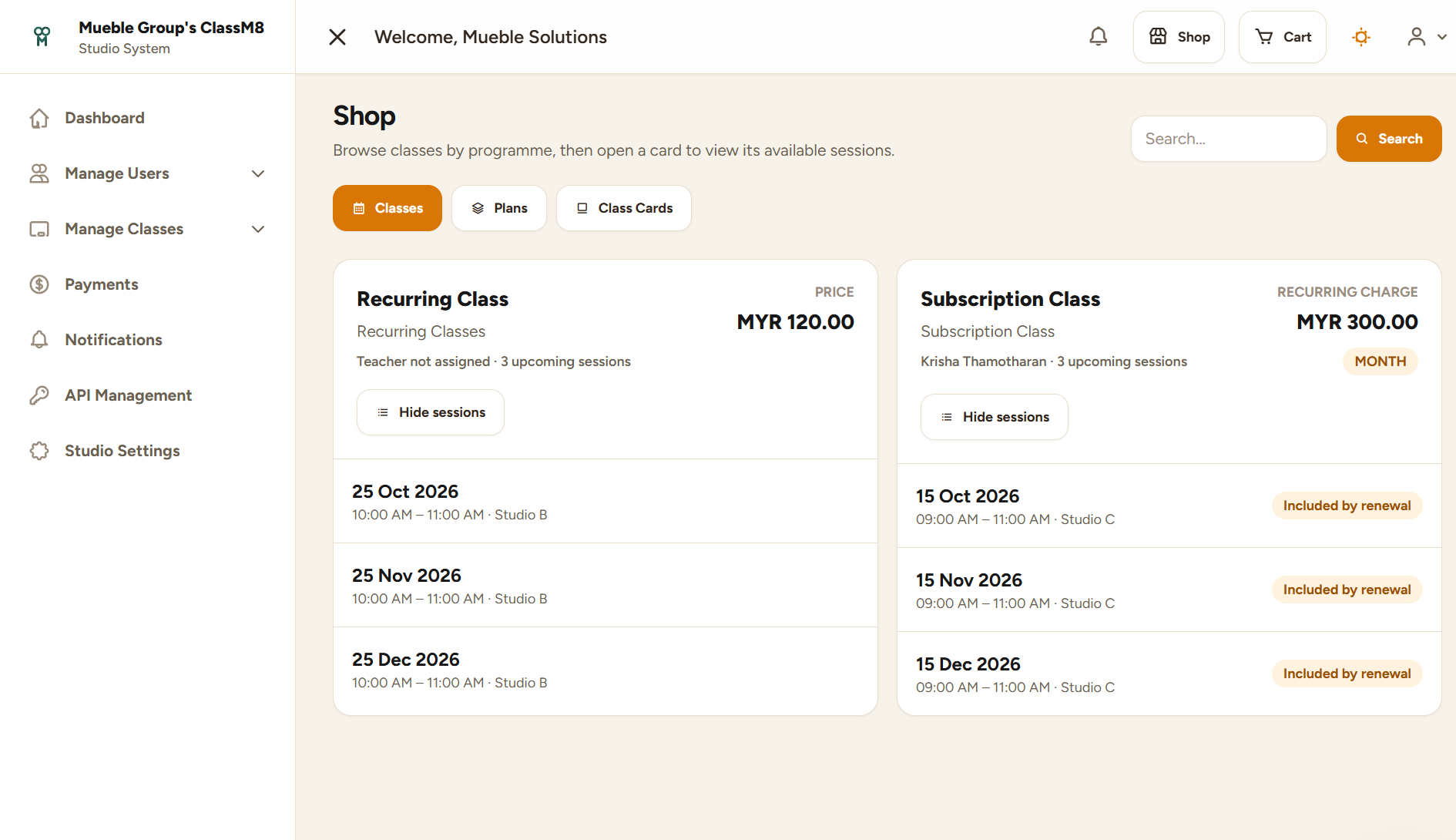
Students and members can browse classes by programme, compare plans and buy ClassCards without messaging the admin team first. The purchase becomes a usable entitlement, not a disconnected receipt.
ClassM8 supports Stripe and HitPay gateway configuration. Available methods depend on the gateway account, country, currency, approval and your specific configuration.
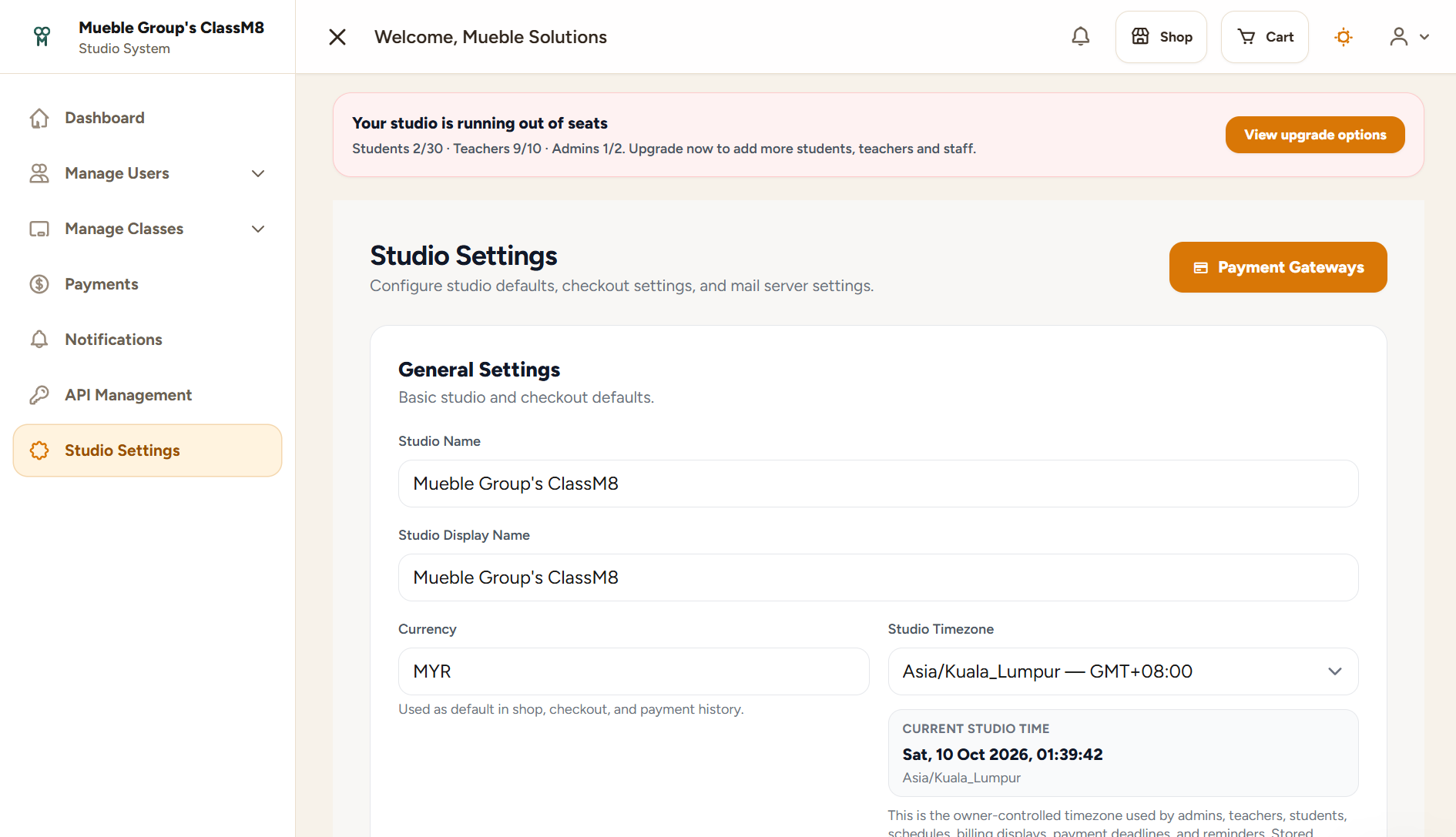
Compare the daily workflow, then explore the features that matter to your studio.
| What studios need | Spreadsheet + chat workflow | ClassM8 |
|---|---|---|
| Client onboarding and subscription billing | Usually manual | Client portal with plan, invoices and setup progress |
| Studio operations | Split across staff and tools | Dedicated studio portal with roles, settings and analytics |
| ClassCard, plans and recurring classes | Often tracked separately | Connected to purchase, schedule, access and attendance |
| Gateway-ready payments | Payment proof is reconciled by hand | Stripe and HitPay checkout tied to student access |
| Integration readiness | No safe token control | API token management and API logs |
| AI assistant access | Copying studio records into a chat | Account-authorized connections with role-aware access and confirmation for changes |
| Full classes and trial follow-ups | Separate lists and reminder messages | Waitlist queues, timed seat offers and a visible trial pipeline |
See AI connections, waitlists and trial follow-ups alongside your everyday studio workflow.